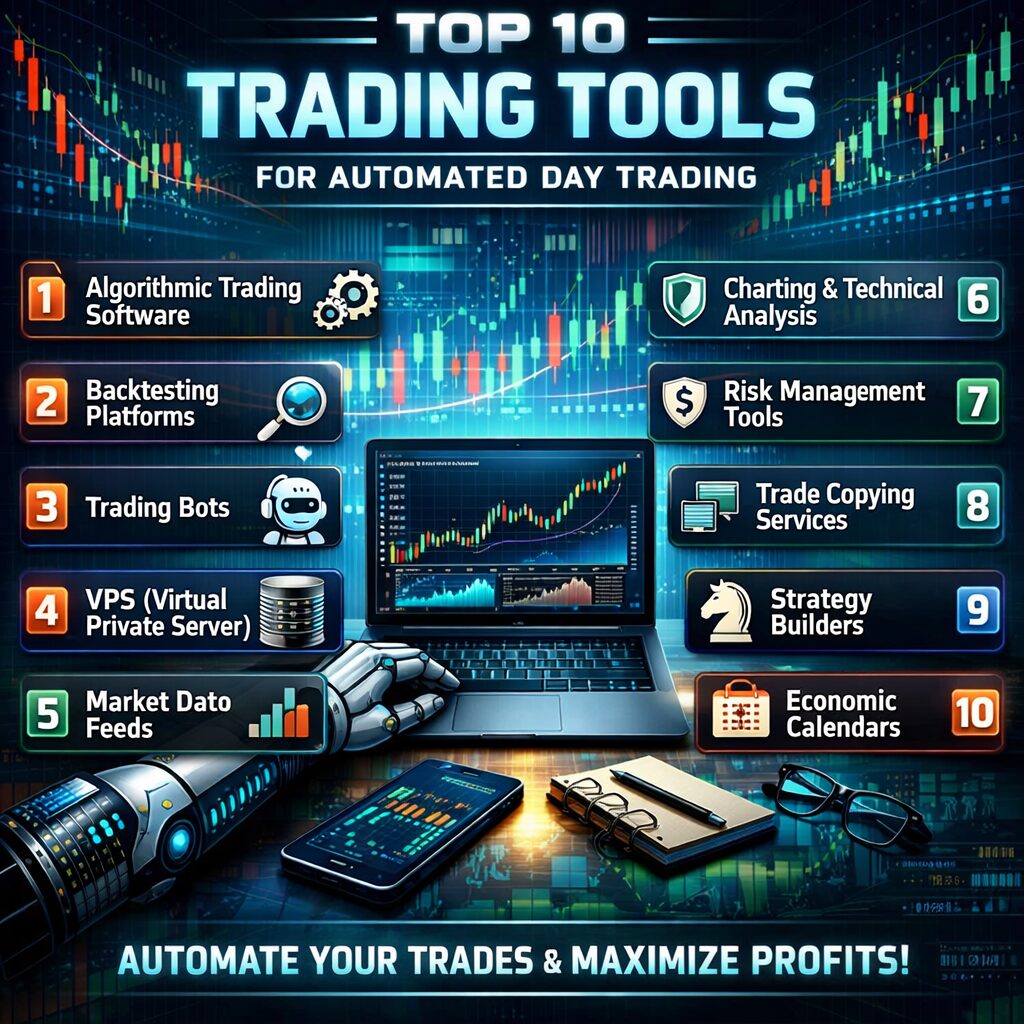
Top 10 Trading Tools for Automated Day Trading
Top 10 Trading Tools for Automated Day Trading – The Ultimate 2024 Guide If you’re serious about day‑trading, you already know that speed, precision, and consistency separate the winners from the “lucky” guys. In 2024, the market is awash with software that can execute trades in milliseconds, crunch massive data sets, and even learn from your…
Top 10 Trading Tools for Automated Day Trading – The Ultimate 2024 Guide
If you’re serious about day‑trading, you already know that speed, precision, and consistency separate the winners from the “lucky” guys. In 2024, the market is awash with software that can execute trades in milliseconds, crunch massive data sets, and even learn from your own performance. The challenge is knowing which tools actually add value and which are just shiny distractions.
In this post we’ll walk through the ten best platforms, APIs, and add‑ons that every automated day trader should have in his or her toolbox. We’ll cover what they do, why they matter, key features, pricing, and real‑world pros/cons – so you can assemble a stack that fits your style, budget, and level of technical expertise.
TL;DR:
1️⃣ MetaTrader 5 – all‑round broker‑agnostic platform (great for FX & CFD).
2️⃣ NinjaTrader – best for futures & custom C# strategies.
3️⃣ TradeStation – powerful built‑in scripting + direct market access.
4️⃣ Interactive Brokers API – ultimate low‑cost, multi‑asset connectivity.
5️⃣ QuantConnect (Lean Engine) – open‑source cloud back‑tester & live‑trader.
6️⃣ Alpaca Markets – commission‑free, Python‑first brokerage API.
7️⃣ ThinkOrSwim (TD Ameritrade) – richest charting + paper‑trading suite.
8️⃣ Tradestation RadarScreen – real‑time scanning & automated alerts.
9️⃣ TradingView – scriptable charts & community‑driven ideas.
🔟 Kite (Zerodha) – India’s most robust API for equities & derivatives.
Let’s dive deeper.
1. MetaTrader 5 (MT5) – The Global Standard for FX & CFD Automation
Why MT5 Still Ranks #1
- Broker‑agnostic: Works with >300 brokers worldwide; you can switch mid‑career without rewiring code.
- MQL5 Language: A C‑like scripting environment that supports OOP, making complex strategies easier to maintain.
- Built‑in Market & Community: Hundreds of pre‑built Expert Advisors (EAs) and a marketplace for buying or renting code.
- Multi‑asset support: FX, stocks, futures, commodities, and even crypto (via select brokers).
Key Features
| Feature | Benefit |
|---|---|
| Strategy Tester (Multi‑Threaded, Cloud‑Based) | Run 10k‑plus back‑tests in minutes; includes forward‑testing and walk‑forward analysis. |
| Depth of Market (DOM) & Level II | See order‑book dynamics for scalping strategies. |
| Built‑in Economic Calendar | Auto‑filter trades around high‑impact news events. |
| One‑Click Trading & Hedging | Execute multiple orders simultaneously—crucial for basket‑trading. |
Pricing & Availability
- Free download from MetaQuotes.
- Broker fees: Usually a spread or commission; some brokers charge a small “platform fee” ($5‑$15/mo).
- Add‑ons: Paid EAs or libraries from the Marketplace (typically $10‑$200 each).
Pros & Cons
| Pros | Cons |
|---|---|
| Vast community & support forums. | Limited native integration with Python (requires bridge). |
| Extremely fast order routing (sub‑millisecond on some brokers). | UI feels dated compared to newer platforms. |
| Mature risk‑management functions (stop‑loss, trailing stop, magic numbers). | Licensing restrictions on certain EAs for commercial use. |
Who Should Use It?
- Forex and CFD day traders who value speed, broker flexibility, and a large library of pre‑built algorithms. If you’re comfortable writing MQL5 or buying/adapting existing EAs, MT5 is a solid foundation.
2. NinjaTrader – The Futures Powerhouse
Why NinjaTrader Tops the List for Futures
NinjaTrader’s C#‑based NinjaScript gives you the flexibility of a full programming language while delivering ultra‑low latency to CME, ICE, and CBOT. Its ecosystem is tailored to high‑frequency scalping, order‑flow analysis, and custom market‑depth visualizations.
Core Features
| Feature | Why It Matters |
|---|---|
| Advanced Charting (Multi‑panel, Volume Profile, Market Replay) | Perfect for dissecting micro‑structures. |
| Strategy Analyzer (Monte‑Carlo, Walk‑Forward) | Sophisticated risk simulations, essential for futures volatility. |
| Order Execution Engine (Direct Market Access) | Access to ECNs with sub‑millisecond latency. |
| Add‑On Marketplace (Premium Indicators, Auto‑trading bots) | Plug‑and‑play solutions for immediate deployment. |
Pricing Model
| Tier | Cost | Features |
|---|---|---|
| Free (Limited) | $0 | Charting & market data (delayed). |
| NinjaTrader 8 (Lifetime License) | $1099 (Standard) / $1699 (Le Unlimited) | Full features, free data from several brokers, free third‑party add‑ons. |
| Subscription | $180/mo (Standard) / $380/mo (Le Unlimited) | Same as lifetime, annual payment option. |
Broker tie‑ins (e.g., NinjaTrader Brokerage, FXCM, Interactive Brokers) can add a commission per contract (~$0.25‑$0.5 per side).
Pros & Cons
| Pros | Cons |
|---|---|
| Elite latency performance; ideal for scalping. | Higher price point; learning C# may be steep for non‑programmers. |
| Extensive third-party ecosystem (TickTrader, Kinetick data). | UI can be overwhelming for beginners. |
| Built‑in simulation (Tick‑Replay) for real‑time testing. | Some premium indicators cost extra. |
Ideal Users
Futures day traders, especially those running high‑frequency, order‑flow, or scalping strategies, who are comfortable with C# and want direct market access without a middle‑man.
3. TradeStation – All‑In‑One for Stocks, Options & Futures
What Sets TradeStation Apart
TradeStation couples an industry‑grade execution engine with its proprietary EasyLanguage scripting language. The platform excels at options day trading, multi‑asset positional trading, and advanced risk‑management.
Standout Features
| Feature | Benefit |
|---|---|
| RadarScreen (Real‑Time Scanning) | Scan 10,000 symbols simultaneously with custom filters. |
| Strategy Builder (No‑Code) | Drag‑and‑drop rule creation for non‑programmers. |
| Backtesting (2‑Click Order Execution) | Instant transition from back‑test to live trade. |
| Integrated Brokerage (Commission‑Free for Stocks, Low‑Cost for Futures/Options) | No separate fee‑routing needed. |
Costs
- Platform: Free for funded accounts (minimum $500 equity).
- Commissions: $0 per trade for stocks/ETFs (if $5,000 monthly volume); $0.25 per contract for options; $1.50 per futures contract.
- Data Packages: Real‑time level II, options data, and futures feeds start at $30/mo.
Pros & Cons
| Pros | Cons |
|---|---|
| Deep analytics for equities & options. | Slightly slower order routing for futures vs NinjaTrader. |
| Powerful “EasyLanguage” – easy to learn, yet robust. | Limited third‑party ecosystem compared to MT5. |
| Paper‑trading integrated, no extra account needed. | Higher cost for premium data (Level II). |
Who Benefits Most?
Day traders focused on U.S. equities and options who need a single, broker‑integrated platform with strong scanning and back‑testing capabilities.
4. Interactive Brokers (IB) API – The Low‑Cost Multi‑Asset Engine
Why IB Remains a Must‑Have
Interactive Brokers is the largest global electronic broker with exposure to stocks, options, futures, forex, bonds, and even crypto via its partnership with Paxos. Their REST & FIX APIs let you connect virtually any language (Python, C#, Java, Node) to a low‑cost, direct‑market-access execution hub.
Core API Highlights
| Feature | Advantage |
|---|---|
| TWS (Trader Workstation) API | Real‑time market data, order status, account management. |
| IBKR Gateway | Headless, low‑latency connection for server deployment. |
Python ib_insync wrapper |
Simplifies event‑driven coding (great for quant researchers). |
| Multi‑Asset Margining | Use equities as collateral for futures – efficient capital use. |
Pricing
- Commissions: $0.005 per share (stock, minimum $1), $0.25‑$0.5 per options contract, $0.85 per futures contract (tiered).
- Market Data: Free basic quotes; real‑time Level I/II bundles start at $10‑$30/mo per exchange.
- Account Minimum: $0 (no minimum after 2023 updates).
Pros & Cons
| Pros | Cons |
|---|---|
| Unmatched market breadth (120+ markets). | Order routing can be slower than broker‑specific APIs (latency ~10‑20 ms). |
| Low commission structure; transparent fees. | API rate limits (max 50 requests/second). |
| Robust risk‑management (Portfolio Margin, real‑time alerts). | Learning curve for FIX/REST endpoints. |
Ideal For
Quantitative developers and day traders who need global asset coverage and are comfortable handling API authentication, error handling, and rate‑limit management.
5. QuantConnect (Lean Engine) – Open‑Source Cloud Back‑Testing & Live Trading
Why QuantConnect Earns a Spot
QuantConnect provides an open‑source algorithmic trading engine (Lean) that runs on AWS (or on‑prem). You can write strategies in C# or Python, back‑test them against 10+ years of tick‑level data, and seamlessly go live on a host of broker integrations (IBKR, Alpaca, OANDA, Interactive Brokers, etc.).
Core Advantages
| Feature | Value |
|---|---|
| 30+ years of tick data (US equities, futures, crypto). | Historic edge detection with high resolution. |
| Cloud‑based execution – no need for local servers. | Scale tests across many securities simultaneously. |
| Algorithm Lab – visual drag‑and‑drop for quick proofs of concept. | Ideal for rapid prototyping. |
| Live‑trading support via Brokerage Adapters (IB, Alpaca, Tradier). | One‑click transition from back‑test to live trade. |
Pricing Model
- Free Tier: 1 research project, limited data (30 days).
- Researcher Plan: $8/mo – full data access, unlimited back‑tests.
- Live Trading Plan: $25/mo + brokerage commissions (depending on broker).
- Enterprise: Custom pricing (on‑premise Lean, dedicated support).
Pros & Cons
| Pros | Cons |
|---|---|
| Massive historical data set (tick‑level for equities). | Cloud costs can add up for high‑frequency (tick‑by‑tick) back‑tests. |
| Multi‑broker integration means you can start on paper, end on live. | Requires Python/C# knowledge; not a “point‑and‑click” platform. |
| Active community & open‑source; you can contribute or fork. | Limited to markets supported by data vendor (e.g., non‑US futures limited). |
Who Should Use It?
Quantitative developers, data scientists, or systematic day traders who want a research‑to‑production pipeline without building their own infrastructure.
6. Alpaca Markets – Commission‑Free, Python‑First Brokerage
Why Alpaca’s Gaining Traction
Alpaca is a US‑based broker that offers API‑only trading (no UI). It’s perfect for developers who want zero‑commission equity trading in a Pythonic environment – plus they provide a paper‑trading environment that mirrors live conditions.
Key Tools
| Feature | Benefit |
|---|---|
| REST API + WebSocket | Real‑time pricing, order execution, and account updates. |
alpaca-trade-api Python SDK |
One‑line functions for order placement, portfolio stats. |
| Fractional Shares | Trade $1 worth of high‑price stocks – ideal for small capital. |
| Paper Trading Sandbox | Unlimited mock trading, instant environment switch. |
Pricing
- Stocks: $0 commission; $0.01 per share for OTC or special fees on certain securities.
- Data: Free to $20/mo for premium end‑of‑day (EOD) and real‑time data (SIP).
- Account Minimum: $0 – you can start with $100.
Pros & Cons
| Pros | Cons |
|---|---|
| Zero‑commission, instant funding (ACH). | Limited to US equities & ETFs (no futures/forex). |
| Full Python integration – ideal for algo‑trading libraries (pandas, TA‑Lib). | Order execution latency average 30‑50 ms (higher than ECN‑direct). |
| Sandbox for risk‑free testing. | No built‑in charting; must rely on third‑party (e.g., TradingView). |
Perfect For
Developers building pure‑stock day‑trading bots, especially those in the $1‑$10k capital range looking for low-cost execution and an easy Python workflow.
7. ThinkOrSwim (TOS) – The Most Feature‑Rich Charting Suite
Why TOS Still Holds a Place
From TD Ameritrade (now part of Charles Schwab), ThinkOrSwim is a desktop platform famed for its high‑resolution charts, custom studies, and paper‑trade environment. While not a traditional API platform, TOS lets you create thinkScript scripts that can fire automated orders through Conditional Orders.
Core Benefits
| Feature | Use Case |
|---|---|
| Dynamic Scanning (Stock Hacker, Futures Hacker) | Identify breakout setups in milliseconds. |
| thinkScript | Build proprietary indicators and triggers without external software. |
| OnDemand Replay | Test strategies on historical market conditions with real‑time speed. |
| Integrated Brokerage | Execute directly from the same UI; no external accounts needed. |
Costs
- Platform: Free for Schwab account holders (no minimum).
- Commissions: $0 per trade for equities (if you have a Schwab brokerage); options $0.65 per contract (first 30 contracts) – $0.35 thereafter.
- Data Packages: Real‑time Level II & futures data start at $0 (basic) up to $120/mo for full futures feed.
Pros & Cons
| Pros | Cons |
|---|---|
| Best‑in‑class charting & custom scripting. | No native API for external languages – automation limited to thinkScript. |
| Paper‑trading (Simulated) that mirrors live fills. | Execution latency higher than direct‑access brokers. |
| Community Study Sharing – massive library of free scripts. | Platform is Windows‑only (Mac via emulator). |
Who Should Use It?
Retail day traders who love visual analysis and want to prototype strategies directly on a robust charting platform before shifting to a more code‑centric environment.
8. RadarScreen (TradeStation) – Real‑Time Scanning & Alert Engine
Why RadarScreen Is a Must‑Have Add‑On
Even though TradeStation already appears in #3, RadarScreen is an often‑overlooked component that scans up to 10,000 symbols in real time, applying custom formulas written in EasyLanguage. It functions as a pre‑trade filter that can trigger automated orders via TradeStation’s AutoTrader module.
Core Capabilities
| Feature | Benefit |
|---|---|
| Custom Columns (E.g., volatility, moving‑average cross, order flow) | See the exact data you need at a glance. |
| Live Alerts (Email, SMS, Push) | Immediate notifications for condition breaches. |
| Batch Order Execution | Send multiple orders with one click after scanning. |
| API Access (via TradeStation API) | Bridge to third‑party auto‑trading scripts. |
Pricing
- Standalone: $59/mo (per account) or $299/year.
- Bundled with TradeStation Platform (Pro/Le Unlimited) – included.
Pros & Cons
| Pros | Cons |
|---|---|
| Lightning‑fast scanning, works with any EasyLanguage script. | Only works inside TradeStation ecosystem. |
| Reduces noise – you trade only when your criteria satisfied. | Learning curve for building custom columns. |
| Compatible with automated order routing. | No native mobile app (requires desktop). |
Ideal For
Traders who need a high‑speed filter before placing day‑trade orders—especially those employing factor‑based or statistical arbitrage strategies.
9. TradingView – Community‑Driven Charting & Pine Script Automation
Why TradingView Remains Essential
Even though it’s not a broker, TradingView dominates the chart‑sharing community. Its Pine Script language is lightweight yet powerful enough to automate alerts that can be forwarded to brokers via webhooks (e.g., Alpaca, Interactive Brokers).
Highlighted Features
| Feature | Use Case |
|---|---|
| Multi‑Timeframe Charts (1‑minute to 1‑month) | Spot intraday patterns while staying aware of longer trends. |
| Alert System (Webhook) | Send JSON alerts to any HTTP endpoint for auto‑execution. |
| Social Library | Browse thousands of community scripts for ideas. |
| Broker Integration (via third‑party services like AutoView, 3Commas) | Turn alerts into live trades. |
Pricing
| Plan | Monthly Price | Main Benefits |
|---|---|---|
| Free | $0 | 1 chart layout, limited alerts. |
| Pro | $14.95 | 5 charts, 10 alerts, no ads. |
| Pro+ | $29.95 | 10 charts, 30 alerts, extended data history. |
| Premium | $59.95 | Unlimited alerts, 25 charts, priority support. |
Pros & Cons
| Pros | Cons |
|---|---|
| Best charting UI on the market. | Not a broker – needs external execution bridge. |
| Pine Script is easy to learn (90‑minute intro). | Limited depth for high‑frequency (sub‑second) strategies. |
| Vast library of community indicators. | Alerts have a small latency (2‑5 seconds). |
Who It Serves
Traders who value visual research, community ideas, and want a low‑cost way to generate automated alerts, especially for swing‑to‑short‑term day trading.
10. Kite (Zerodha) – India’s Fastest API for Equities & Derivatives
Why Kite Is a Game‑Changer for Indian Markets
Zerodha’s Kite Connect API provides REST & WebSocket endpoints that let you trade NSE/BSE equities, futures, options, and commodities. It’s particularly valued for sub‑second order execution and low‑cost brokerage (₹20 per trade + GST).
Core Highlights
| Feature | Benefit |
|---|---|
| Real‑time Market Data (Tick‑by‑tick) | Ideal for scalping volatile Indian stocks. |
| WebSocket Order Streaming | Get immediate fill confirmations. |
Python SDK (kiteconnect) |
Simplifies authentication and order flow. |
| Zero‑minimum capital | Start with as low as ₹10,000. |
Pricing Structure
- API Subscription: ₹2,000/month (includes 50,000 API calls).
- Brokerage: Flat ₹20 per trade (or ₹0.03% whichever higher).
- Data: Free realtime for NSE/BSE; premium feeds (e.g., NSE‑FNO) at extra ₹300/mo.
Pros & Cons
| Pros | Cons |
|---|---|
| Extremely low brokerage fees for Indian markets. | Only supports Indian exchanges; no US/European stocks. |
| Fast WebSocket delivery (≈10 ms). | API limits can be restrictive for extremely high‑frequency strategies. |
| Excellent documentation & active community (GitHub, Discord). | Requires separate sandbox account for testing. |
Perfect For
Indian day traders who want low‑cost, high‑speed access to equities and derivatives, and are comfortable using Python or Node.js for automation.
Putting It All Together – Building Your Automated Day‑Trading Stack
Below is a sample architecture that combines the best of the tools above. Feel free to swap components based on your geography, asset class, or coding preference.
| Layer | Recommended Tool(s) | Reason |
|---|---|---|
| Data Ingestion | Interactive Brokers (Real‑time) + TradingView WS | Broad market coverage, low latency. |
| Strategy Development | QuantConnect Lean (Python) + Kite (India) or Alpaca (US) for back‑testing | Unified codebase, cloud horsepower. |
| Signal Generation | Pine Script alerts on TradingView OR Custom Python script on QuantConnect | Visual prototyping or pure algorithmic path. |
| Execution Engine | IBKR Gateway (FIX) or Alpaca HTTP for equities; NinjaTrader for futures. | Direct market access, sub‑millisecond latency. |
| Risk & Position Management | RadarScreen (TradeStation) + Portfolio Analytics via IB API | Real‑time monitoring and automated stop‑loss. |
| Monitoring & Alerts | ThinkOrSwim (for manual oversight) + SMS/Webhook from TradingView | Immediate awareness of abnormal events. |
| Compliance & Logging | AWS S3 (or local SQLite) + Loguru (Python) | Immutable trade logs for audit. |
How to Choose the Right Tools for Your Style
| Trading Style | Best‑Fit Tool(s) | Why |
|---|---|---|
| Forex/CFD Scalper | MetaTrader 5 + MQL5 | Ultra‑fast execution, broker flexibility, built‑in hedging. |
| Futures Micro‑Scalper | NinjaTrader + Interactive Brokers | Low latency, direct market access, C# power. |
| Equity Day Trader (US) | TradeStation + RadarScreen | Integrated brokerage, strong scanning, easy EasyLanguage. |
| Multi‑Asset Quant | QuantConnect + IBKR API | Broad data, cloud back‑testing, multi‑broker live deployment. |
| Low‑Capital Retail | Alpaca + TradingView | Zero commissions, Python‑first, simple alerts. |
| Indian Market | Kite + Zerodha | Cheapest brokerage, fast API, local market depth. |
| Hybrid Visual‑to‑Code | ThinkOrSwim + Pine Script | Build visual prototypes, then port to Python/IB. |
Key Decision Criteria
- Latency Requirements – Futures and high‑frequency scalping demand sub‑10 ms connections (NinjaTrader, IBKR Gateway).
- Asset Coverage – If you trade across continents, IBKR or QuantConnect are indispensable.
- Programming Skill – No‑code users gravitate to TradeStation’s Strategy Builder, TOS thinkScript, or TradingView Pine.
- Budget – Free tiers (MT5, TradingView, QuantConnect research) can get you started; allocate funds for data feeds first.
- Compliance – Choose a broker with SEC/FINRA or SEBI registration for regulatory safety.
Final Thoughts
Automated day trading is no longer the exclusive domain of hedge funds. The democratization of APIs, cloud back‑testing, and low‑cost brokerages means that a diligent trader can assemble a professional‑grade stack for under $500/month (excluding commissions).
The secret: Don’t chase the flashiest UI—focus on speed, reliability, and data quality. Pair a robust execution engine (IBKR, NinjaTrader, Alpaca) with a versatile development environment (QuantConnect, Python, Pine Script). Then layer on real‑time scanners (RadarScreen, TradingView) and an alert system to stay ahead of market moves.
Remember: Automation amplifies both skill and mistake. Use paper‑trading sandboxes (Alpaca, ThinkOrSwim, Interactive Brokers) until you have statistically significant win rates across multiple market conditions. Once you’re comfortable, scale cautiously, monitor latency, and keep a tight risk‑management rule‑set (stop‑loss, max‑drawdown, position‑sizing).
Happy trading, and may your algorithms be ever profitable! 🚀
If you liked this guide, subscribe for more deep dives into algorithmic trading, data science, and market psychology.
Come to Cashflowenforcer.com to join our free newsletter for helping you develop multiple streams of cash flow.